The 5 Numbers Every Shop Owner Should Check on Monday
See the five numbers that flag a cash or close-rate problem in week one, and learn how to have AI pull them from QuickBooks and your scheduler each Monday.
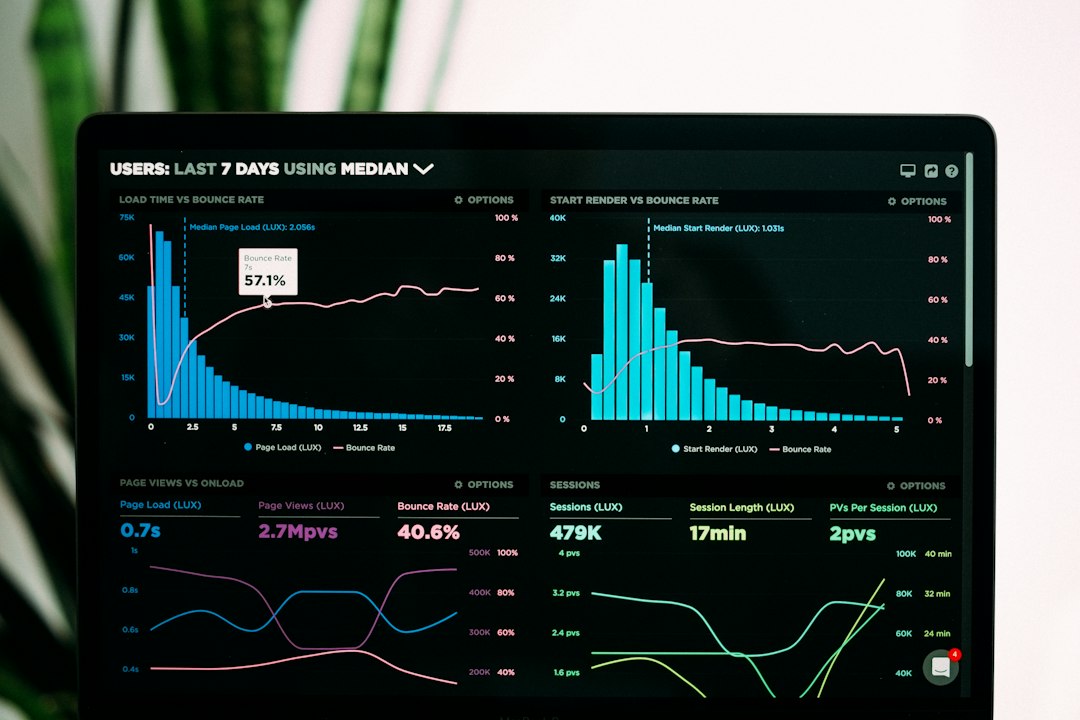
Revenue looks fine. The trucks are out, the deposits keep landing, and from where you stand in the yard on a Monday the business reads healthy. What you cannot tell me standing there is whether last week’s estimates closed at the rate they closed in April, or how much of your money is sitting inside somebody else’s accounts payable right now. Those answers usually arrive in month three, from your accountant, long after the thing they describe got expensive. They do not have to: Intuit expanded its QuickBooks connector into Claude and ChatGPT on July 28, 2026, so you can now ask your own books a plain question and get last week’s numbers back.
Quick verdict
The check: Five numbers on one page, read on your phone before the first truck pulls out Monday. Why it earns fifteen minutes: The landscaping company below had $136,000 more cash locked in receivables than a year earlier, with revenue up the whole time. This week: Pull last week’s actuals from QuickBooks and your scheduler, then have an AI tool write the one-pager.
Your revenue number is the one that lies to you
The JPMorgan Chase Institute analyzed 470 million transactions from 597,000 small businesses for Cash is King: Flows, Balances, and Buffer Days, published in September 2016. The median small business held 27 cash buffer days, meaning 27 days of outgoing cash in the account if every dollar coming in stopped. Repair and maintenance businesses held 18.
Nothing has loosened since. Centiment surveyed 774 US business owners with $50,000 to $5 million in revenue for Bluevine’s cash flow management research, fielded September 25 to 30, 2025, and found 39% carry less than one month of operating expenses in cash. Nearly four in ten owners are one surprise away from a hard week.
Revenue and cash are different animals, and only one of them makes payroll. You can book your best month on record and still be short on the fifteenth, because the work got done, the invoices went out, and the money has not landed. Revenue is the number every owner watches. It is also the last one to tell you something is wrong.
The five numbers
Five, not fifteen. Fanruan’s guide to small business KPI dashboards puts the useful range at five to seven, and the reasoning holds: below four you are blind to a whole side of the business, and past ten or twelve the dashboard becomes wallpaper nobody reads. Here are the five I would run.
| # | The number | What it actually tells you | Where it lives |
|---|---|---|---|
| 1 | New leads last week | Is the top of the funnel still full | Phone system, web forms, Google Business Profile |
| 2 | Quote-to-close rate | Are you still winning the work you bid | Scheduler: estimates sent vs. won |
| 3 | Revenue booked | What you sold last week, not what you invoiced | Scheduler |
| 4 | Jobs scheduled next week | Do the crews have a full week in front of them | Scheduler calendar |
| 5 | Cash on hand, and DSO beside it | Can you cover the next 30 days | QuickBooks |
Two definitions, once. Quote-to-close rate is estimates won divided by estimates sent. DSO, days sales outstanding, is the average wait between sending an invoice and the money hitting the bank: divide total open receivables by average monthly billings, then multiply by 30. The fix for a bad one is a reminder sequence that starts before the due date.
Numbers one through three are the front of the house, which this site has already taken apart: how fast a lead gets a callback and what share of answered calls turn into appointments. Four and five are the back of the house, and they are where the quiet damage happens.
Every number needs a target written next to it. “Close rate: 34%” is a fact. “Close rate: 34%, target 38%” is a decision.
What this would have caught at a 14-person landscaping company
Illustrative, built from typical figures for the trade rather than one company’s books. Commercial and residential landscaping with irrigation, 14 employees, maintenance contracts plus install work, $240,000 billed in an average month.
Revenue was up. Third quarter came in at $720,000 against $655,000 the same quarter last year, roughly 10% growth. The owner felt good about that, and he had every reason to.
Two of the other four numbers were sliding the entire time.
Close rate. 88 estimates sent in September, 26 won. That is 29.5%, down from 38% in the spring. Eight points across 88 estimates is about seven jobs a month that used to be his.
DSO. Open receivables divided by monthly billings, times 30. A year ago he sat at 31 days, about $248,000 outstanding. In September he sat at 48 days, about $384,000 outstanding.
The difference is $136,000 of his own money, already earned, parked in other people’s accounts payable. Revenue up 10%, cash position worse by six figures, and the two facts lived in the same business for eleven weeks without meeting. He learned it in November, when the accountant closed the quarter.
A Monday review does not collect an invoice or fix a close rate. It tells you in week two instead of week eleven. That is the entire product.
Now make the software fetch them
You already pay for every system these numbers live in. Until recently, getting them out meant exporting four reports and building a spreadsheet, which is exactly why almost nobody did it twice.
QuickBooks. The connector in Claude and the plugin in ChatGPT let you ask in plain language and get an answer from your own books. Inside QuickBooks itself, AI-powered Report Insights flags anomalies in your profit and loss and balance sheet on Plus and Advanced plans.
Jobber. Jobber Copilot launched October 1, 2024 and reads your own job and quote history to answer questions about the business. It has been free to US and Canadian customers in beta.
ServiceTitan. Atlas, announced at Pantheon in September 2025, runs reports and finds jobs when you ask it in plain English. The underlying reporting and dashboards have been there longer.
Google Business Profile. Calls, messages, bookings, and direction requests all sit in the performance view, and you can download the report for a date range you choose.
If none of that is switched on, the fallback works fine and costs nothing. Export last week as CSV files, hand them to ChatGPT or Claude, and ask for the five numbers with last week’s figures beside them. Before you upload anything, check what your AI tool does with it, the same settings question that applies to any customer data you paste in.
What to do this week
- Write the five numbers on an index card, with targets. Ten minutes. Leads, close rate, revenue booked, jobs scheduled next week, cash on hand and DSO. Put the number you want beside each one, even if you are guessing at the target. A guess you revise in six weeks beats no line to measure against.
- Pull last week by hand, once. Run the A/R aging summary and the bank balance in QuickBooks, then estimates sent and won, revenue booked, and next week’s scheduled jobs out of Jobber, Housecall Pro, or ServiceTitan. Doing it manually the first time is how you find out which number your software cannot actually produce yet. That gap is worth knowing.
- Hand the exports to an AI tool and ask for the one-pager. Tell it: here are last week’s reports, give me these five numbers, each one next to my target and next to the same week last month, and flag anything that moved more than 10%. Save the wording. Next Monday it is a paste, not a project.
Run it four weeks in a row before you judge it, because one Monday’s numbers are noise and four Mondays are a direction. If you want the five sized against your own books, estimates, and receivables, a free Build Audit will do that pass for you.
TAGS
What is this worth in your business?
The free Build Audit is 30 minutes. You leave with a ranked list of the automations worth doing in your business, whether or not we build them.
Related Articles

AI Receptionist or a New Hire? What Each One Really Costs
Compare the real monthly cost of an AI receptionist against hiring a front-desk person, including setup, overages and turnover, and find the setup that fits.
Five Numbers to Check Every Monday Morning
Learn the five numbers a service-business owner can pull in ten minutes every Monday to spot a slow week before the bank balance does, and which to fix first.

Win More Quotes by Fixing Follow-Up Before AI Runs It
One afternoon tells you whether an AI follow-up tool will win you more jobs or text your customers the wrong thing, and what to fix first so it pays off.